
Solar asset management software for PV inspection teams
Analysis, management and reporting, in one platform. MapperX turns drone thermal data into module-level fault detection, digital twins, operations tracking and reports supporting outdoor PV thermographic inspections under IEC 62446-3.
Trusted by leading energy companies







What is MapperX?
MapperX uses drone-based data collection and AI-powered analytics to autonomously detect faulty panels in solar power plants. It unifies inspection, asset management and reporting in one workflow, aligned with international thermographic inspection standards.
Autonomous Thermographic Inspection
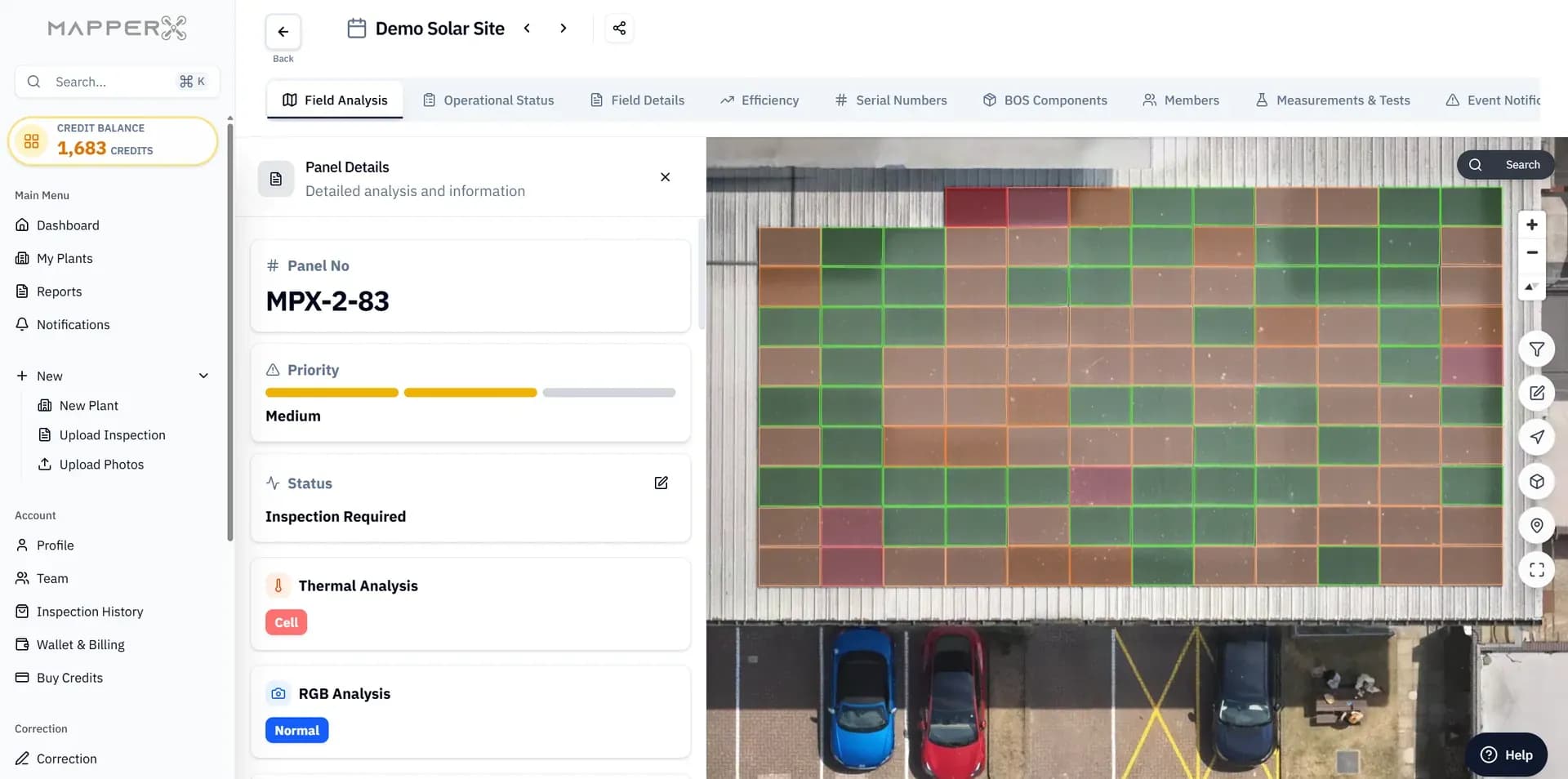
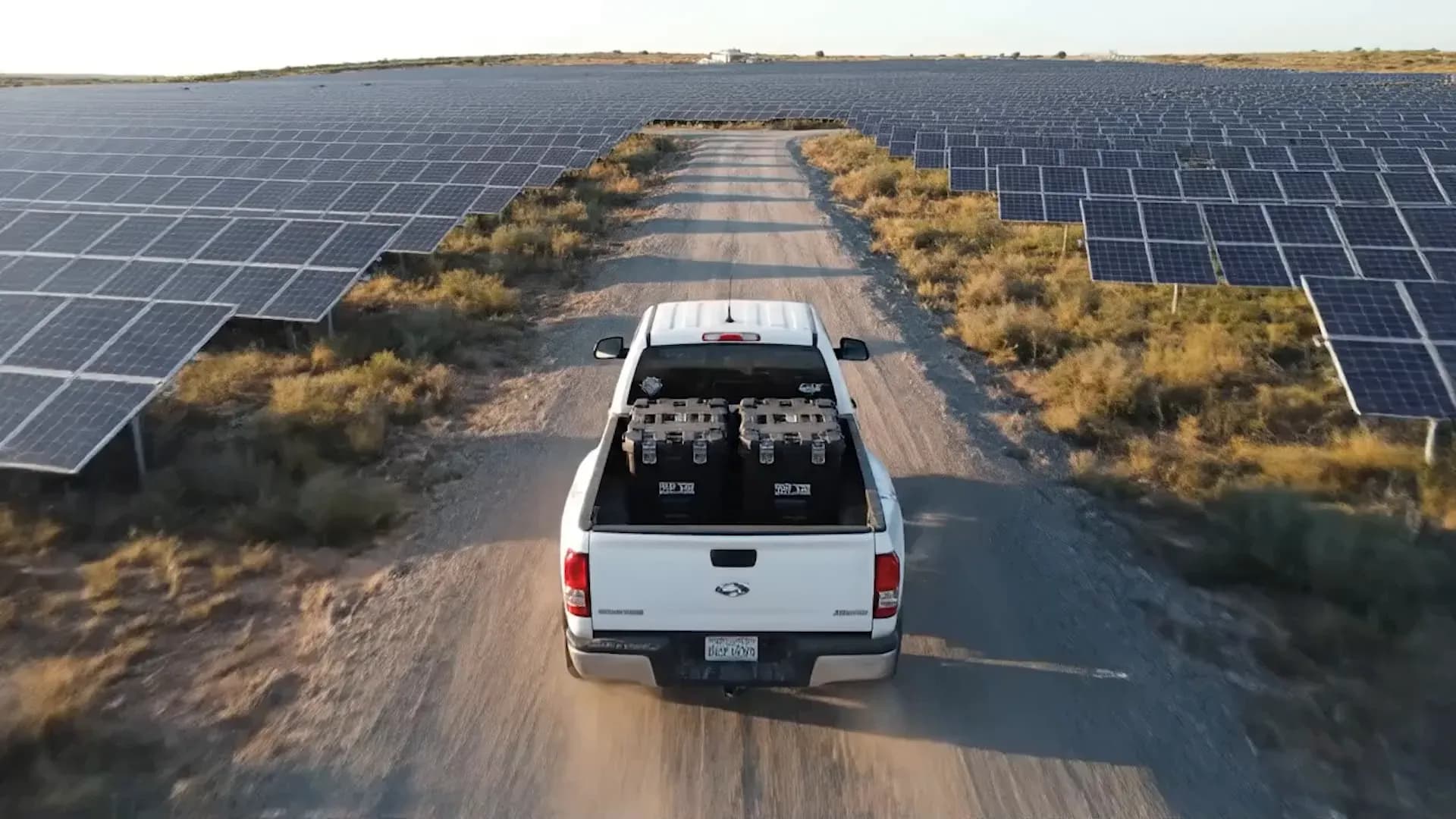
Traditional thermographic measurement is slow and costly when locating faulty panels and components. With MapperX, drones map your plant and create a digital twin you can inspect on-screen, helping target on-site diagnostics.
Help reduce labor and maintenance cost with AI-powered autonomous analysis.
The cost of a manual inspection scales with the size of the plant, because someone has to walk the rows and someone has to review the images afterwards. With MapperX, autonomous analysis can reduce manual image review, though cost still depends on module count and campaign requirements. A drone solar panel inspection can cover large areas faster than a handheld survey, depending on site and flight conditions. For asset owners weighing solar panel inspection cost against inspection frequency, this can make annual or seasonal campaigns more practical.
Reach risky, hard-to-access areas by drone and reduce technician exposure.
Roof edges, high mounting structures, live equipment and steep or flooded terrain are the parts of a plant where inspection is slowest and least safe, because approaching them on foot requires access equipment and permits. UAV solar panel inspection reaches those areas from the air without putting a technician in front of energized components or at height. The flight is planned once and repeated on the same path in later campaigns, which keeps coverage consistent and comparable. Occupational safety is not a side benefit here: it is the reason many operators moved aerial thermography ahead of manual survey in the first place.
Inspect without contact to reduce the risk of damage to the plant.
Thermal inspection is a passive measurement, so the measurement itself does not require touching, opening or disconnecting components. The plant can keep producing during the flight, which means an inspection may not need a shutdown window. Avoiding contact with glass, frames and wiring reduces the risk of handling-related micro cracks or damaged connectors, but does not eliminate operational risks. Thermal imaging surveys the site non-destructively and helps identify modules that may need electrical testing.
Advanced Thermal Analysis
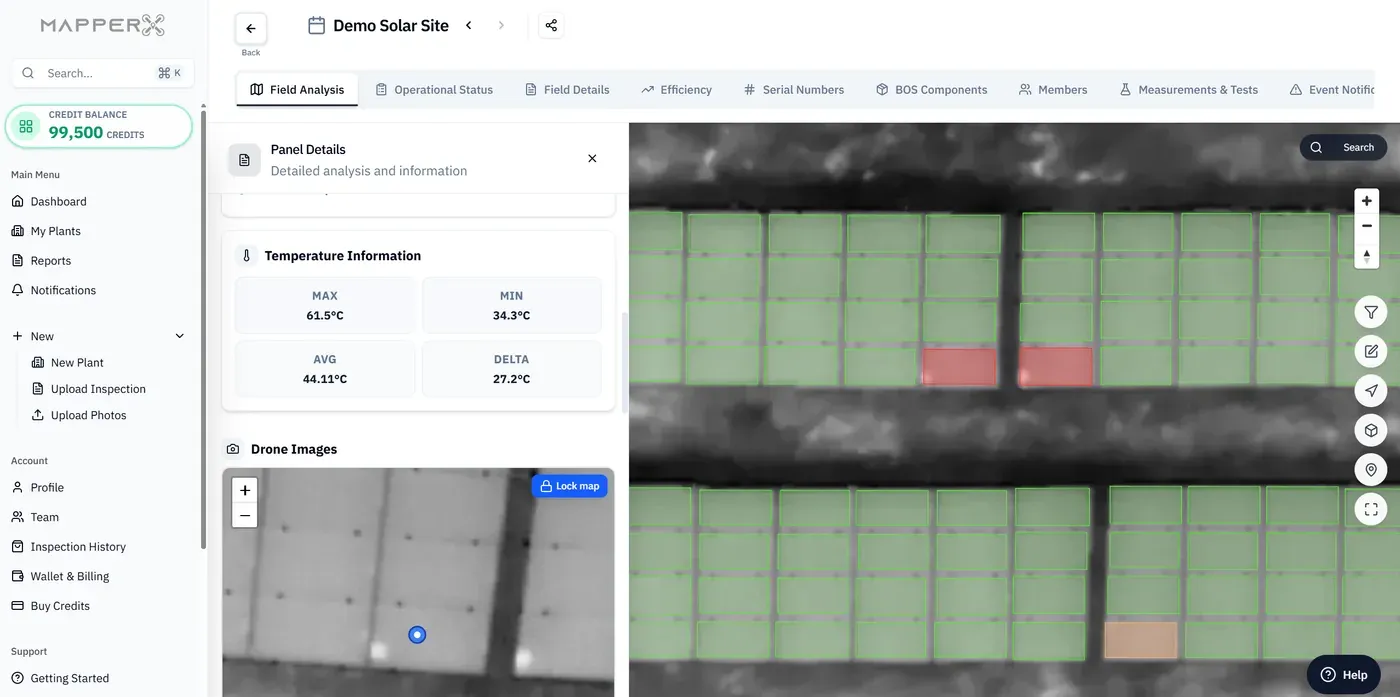
Temperature analysis helps distinguish potentially faulty modules from healthy ones. MapperX supports temperature analysis aligned with IEC 62446-3, calculates the temperature difference (DeltaT) and ranks flagged panels by severity.
Autonomous temperature detection can reduce human error and support consistent analysis.
When a temperature difference is judged by eye, classifications can vary between inspectors and across long review sessions. MapperX evaluates temperature differences numerically using criteria aligned with IEC 62446-3, calculates DeltaT for each module and uses that value to support severity classification. This supports repeatable analysis, though results depend on input data and inspection conditions. That consistency can help teams compare campaigns and investigate degradation trends.
Shorter operation time can lower cost.
Automated processing can shorten the review stage and reduce engineering time. Processing time depends on campaign size, image quality and workload. Shorter operation time can lower cost by reducing engineering hours per campaign and getting findings to the maintenance team sooner. Earlier findings can help teams schedule repairs, though recovered production depends on the fault and the intervention.
Early risk detection helps prevent fire hazards.
Overheating cells, failing bypass diodes and poor connections can show thermal signs before outright failure. MapperX helps surface these signs so teams can investigate and schedule maintenance to reduce fire risk. Early findings can also help address production losses, although temperature alone does not establish the cause or extent of a loss. Because every finding is dated and tied to a module, the progression from first detection to intervention is documented, which matters for insurers and for anyone who has to justify why a repair was carried out when it was.
Reporting for IEC 62446-3 Inspection Workflows
Inspection and audit reports from multi-discipline teams support informed O&M decisions. MapperX generates reports for IEC 62446-3 inspection workflows from analyzed campaign data, with advanced filtering and your own logo.
Reduce manual reporting time with traceable campaign data.
Reporting is where most inspection projects lose their time: images are sorted, findings are transcribed, tables are rebuilt and the document is formatted by hand. MapperX generates the report from the analyzed campaign data, so the step that used to take days of manual assembly ends with a single export. Traceability improves at the same time, because every line in the report resolves back to the module and the frame it came from rather than to a note someone typed. Nothing is retyped between analysis and document, which removes the transcription errors that make an inspection report difficult to defend.
Produce reports that support standards-based inspection workflows and operational review.
A report is only useful if the receiving party accepts it. MapperX report structure supports IEC 62446-3, the specification for outdoor thermographic inspection of photovoltaic plants, so an owner, an insurer or an independent engineer can review the findings against a known standard. Acceptance for commissioning, warranty claims or insurance files depends on the inspection evidence and the recipient's requirements.
Create unlimited branded reports with advanced filters.
Different readers need different documents from the same campaign. MapperX lets you filter by plant, campaign, anomaly class, severity or string before exporting, so an owner receives the summary and the maintenance contractor receives the module level work list, both drawn from one dataset. Reports carry your own company details and logo, which matters when you are an inspection provider delivering to your own clients. There is no per report charge and no cap on how many you produce, so re-issuing a document after a repair or splitting one campaign across several stakeholders costs nothing but the export.
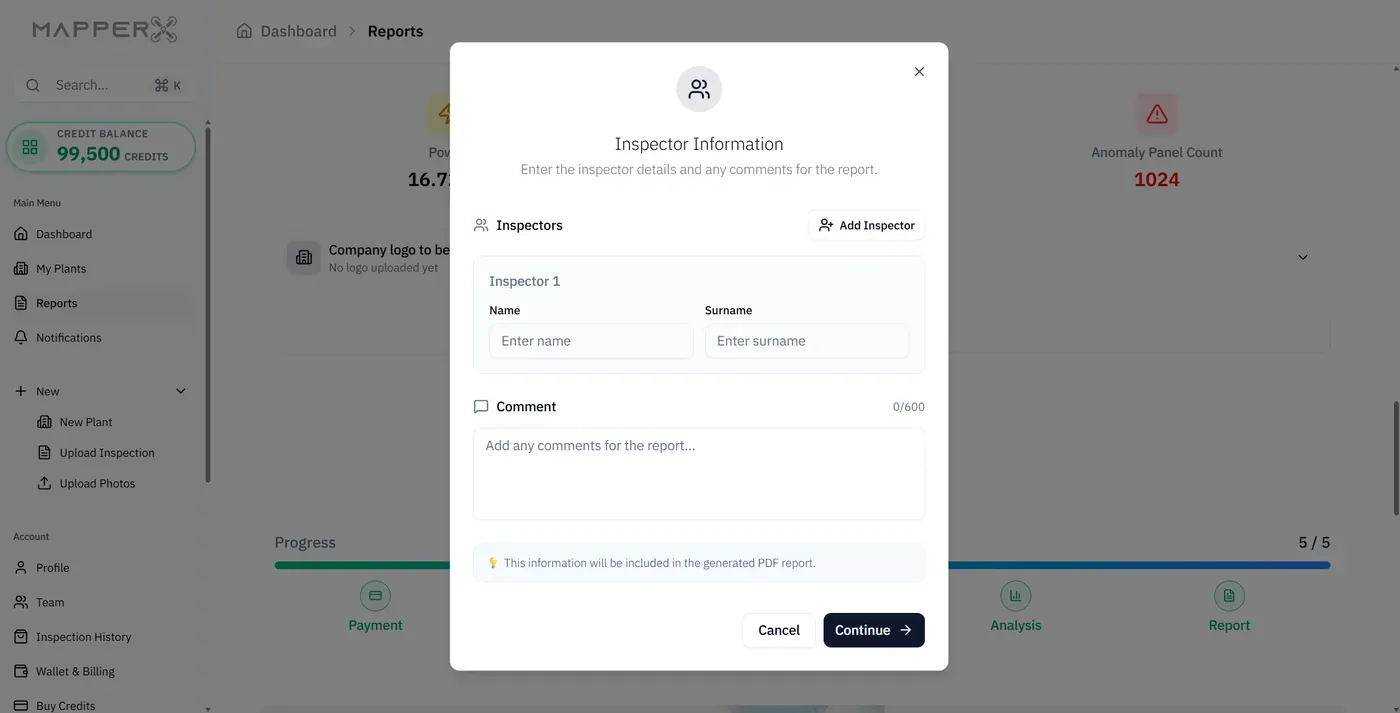
Autonomous Anomaly Detection
Manual thermal review is slow at telling defective modules apart. MapperX uses autonomous analysis to flag and classify thermal anomalies, supporting IEC 62446-3 inspection workflows. Root causes may require on-site verification or electrical testing.
Identify anomaly types and investigate their possible causes.
A finding that says only that a module is warm does not tell a maintenance team what to bring or what to do. MapperX returns every finding with its anomaly class, so a hot cell, a bypass diode fault, a junction box issue and an open circuit string are separated rather than listed as one problem. The classes follow the fault taxonomy used in IEC 62446-3 reporting, which keeps the output comparable with what an independent inspector would produce. Knowing the class also determines the response: some findings mean cleaning, some mean a replacement under warranty, and some mean an electrical test before anything is touched.
Decide maintenance actions fast to cut energy loss.
Every finding is tied to the module, the string it belongs to and its georeferenced position in the plant, so a decision can be made at the desk and the crew can be dispatched straight to the row. That can reduce repeat site visits needed to locate a suspected fault. Because the loss associated with each anomaly class is estimated, the decision is not only about what is broken but about what is worth fixing first. Cutting energy loss quickly is the point of inspecting at all, and it depends on how little time passes between detection and the repair being scheduled.
Prioritize with advanced filtering.
A large campaign can return more findings than one maintenance window can absorb, so filtering decides what actually gets done. MapperX narrows the result set by severity, anomaly class, string, inverter or campaign, which keeps the work list focused on the modules causing the largest production loss. Items outside the current window stay recorded and visible for the next cycle instead of being lost in a PDF. Prioritizing this way gives the asset owner a defensible answer to why one repair was scheduled ahead of another, and it keeps the cost of maintenance proportionate to the production it recovers.
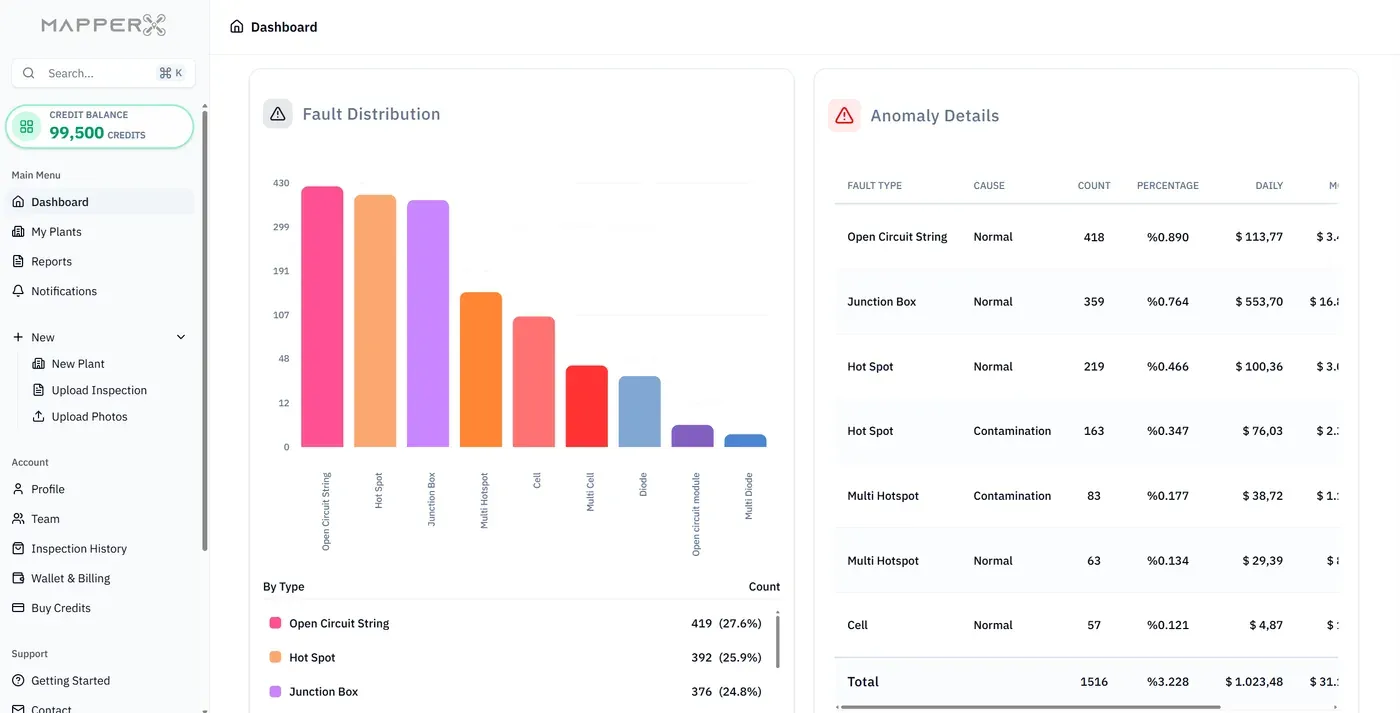
MapperX Studio: Electrical Infrastructure & Digital Twin
MapperX Studio is where you add and manage inverters, transformers and electrical infrastructure. Build a digital twin of the plant, number strings and panels, and plan every component in detail.
Electrical infrastructure management for every component.
A plant is more than an array of modules, and an inspection record that ignores the electrical infrastructure stops being useful the moment a fault sits upstream. In MapperX Studio inverters, transformers, combiner boxes, strings and modules are recorded as components, each with its own attributes, documents and history. A finding can then be read in context: one warm module is a panel issue, a whole string behaving differently points at the combiner or the inverter feeding it. Keeping the electrical layer in the same model as the thermal findings is what allows one platform to replace the spreadsheet that usually sits beside the report.
String and panel numbering with detailed plant planning.
Field references only work when everyone uses the same names. MapperX Studio numbers strings and panels inside the plant model using a naming format you define, so the label on the combiner box, the identifier in the work order and the row in the report all match. Detailed plant planning is done once and then reused by every campaign, which is what keeps two inspections a year apart comparable. Without that shared numbering, module positions drift between reports and the comparison that makes trend analysis possible quietly breaks, usually without anyone noticing until a warranty claim is questioned.
A digital twin that improves plant management and efficiency.
The digital twin holds the plant layout and its component records in one model that every campaign updates rather than replaces. That is the difference between solar asset management platforms and a folder of inspection reports: the model carries the history of the asset, so a new O&M contractor or a new owner inherits a documented plant instead of reconstructing it from old files. Improved plant management follows from having one current picture, and efficiency follows from acting on it. At handover, commissioning acceptance or refinancing, that documented state is usually the fastest evidence available.
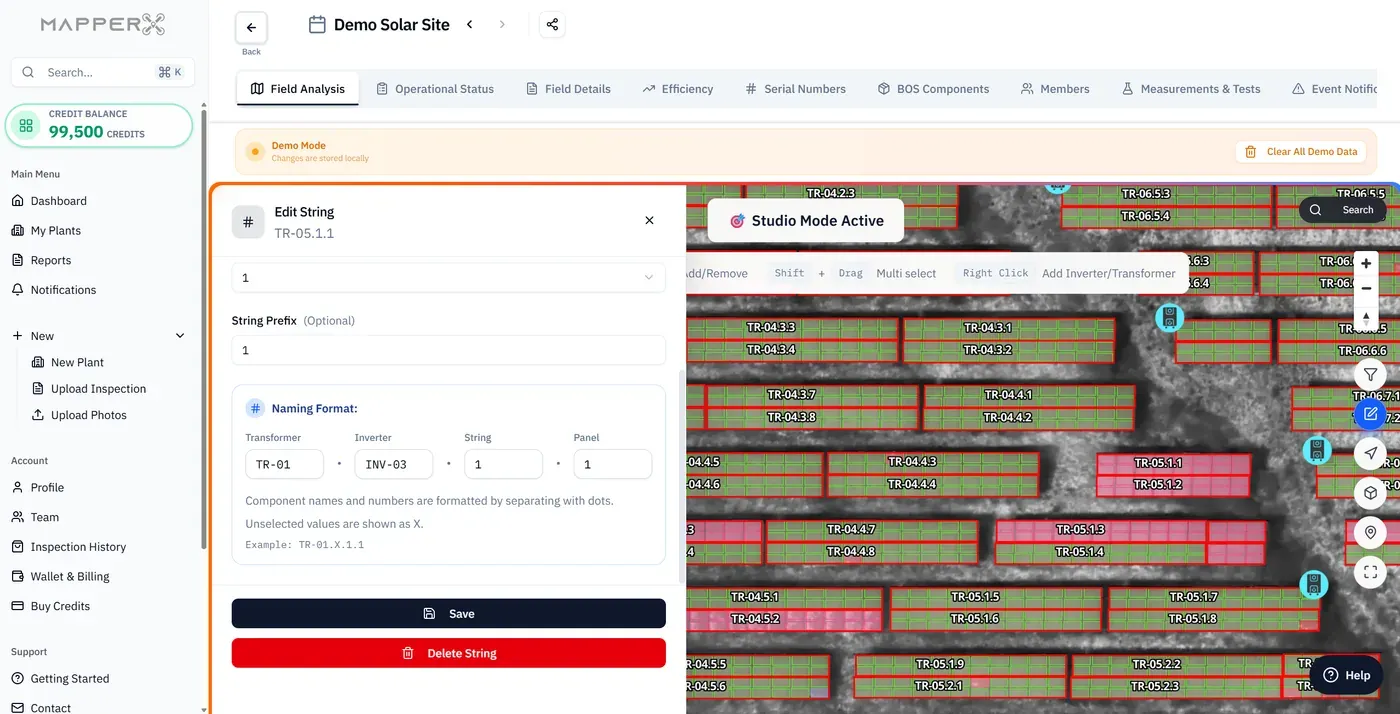
Electrical Tests & Periodic Inspections
MapperX manages tests, measurements and inspections together, schedules periodic checks, and produces IEC 62446-3 reports with your logo.
Create digital twins of electrical measurements and inspections.
Measurements written on paper or into a private spreadsheet can be difficult to retrieve after the technician leaves the site. MapperX stores each result against the component it belongs to, so an insulation resistance value or an IV curve tracing result sits on the module or string it was measured on, with its date and the person who recorded it. The record stays traceable and can be produced later for a warranty claim, an insurance file or a periodic compliance review. Electrical tests are expensive to repeat, and missing previous results can lead to unnecessary repeat testing.
Manage tests, measurements and inspections in one integrated flow.
Thermal findings tell you where to look and electrical testing helps establish what is wrong, so keeping them in separate systems creates work rather than clarity. MapperX manages tests, measurements and inspections in the same flow as the thermal findings, which means a suspect module goes from detection to measurement to conclusion without leaving the platform. This reduces the need to reconcile separate spreadsheets and helps keep module references consistent. For teams that already run IV curve tracing or electroluminescence testing, this is where the evidence becomes one file instead of three.
Schedule periodic inspections and run operations efficiently.
Periodic inspection obligations are easy to state and easy to miss, because the deadline usually arrives while the team is busy with something else. MapperX lets you schedule periodic inspections ahead and shows their due status before the deadline rather than after it, per plant and per component. Planning the cycle in advance also spreads the workload, so the crew is not asked to complete a year of checks in the last quarter. For operators answering the question of how often solar panels should be inspected, having the schedule inside the same platform as the findings is what makes the answer stick.
Real-Time Operation Management
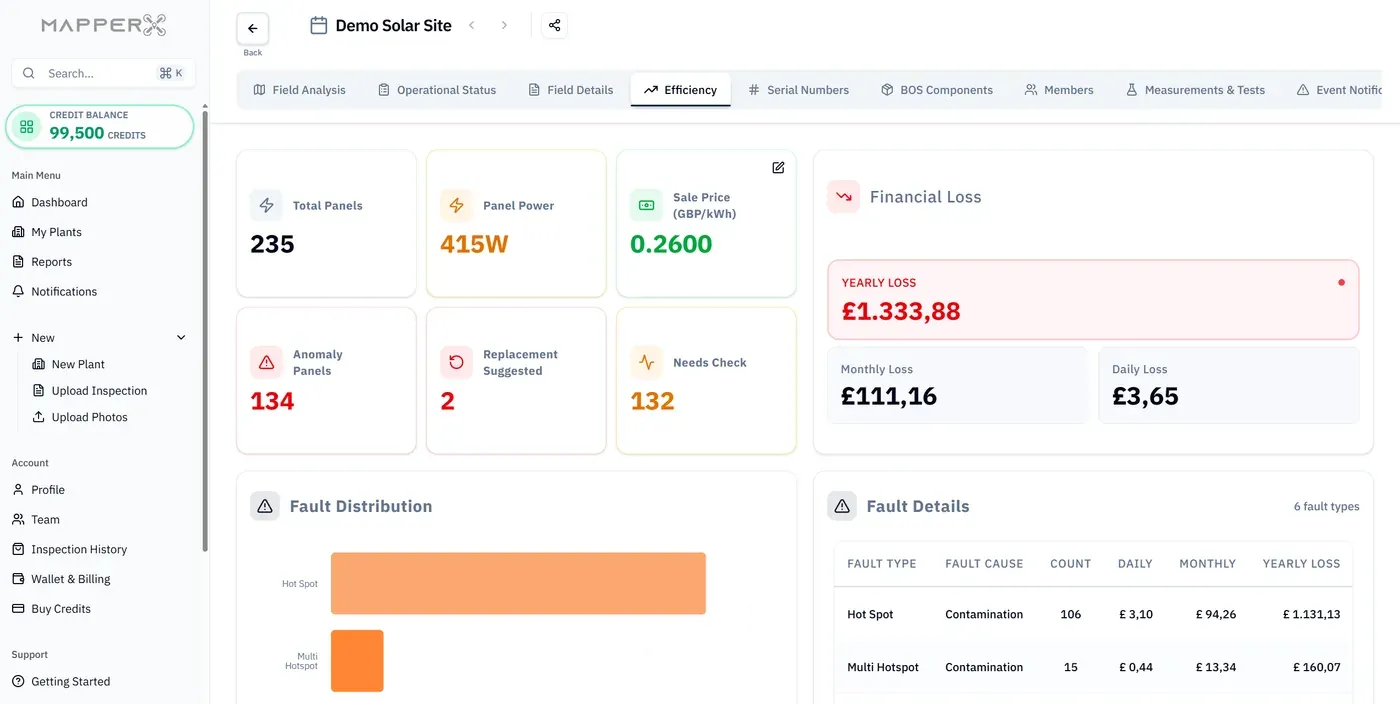
Monitoring operational status during O&M is critical for plant efficiency and uninterrupted production. Track your plant's real-time status, follow performance continuously and catch issues early for fast intervention.
Report operations to the second and track current status.
Every operation is logged with its time stamp, the person who performed it and the state it moved the component to, so the work history of a plant can be reconstructed at any point without asking anyone to remember. That record answers the questions that come up long after the work: when the module was replaced, who signed the state change, whether the repair happened before or after the loss appeared in the production data. Reporting to the second is not about surveillance, it is about having a defensible operational history when an owner, an insurer or an incoming contractor asks for one.
Monitor and evaluate real-time plant performance data.
Production data alone tells you that output dropped and thermal findings alone tell you that modules are faulty, but neither says whether the two are related. MapperX monitors plant performance data alongside the inspection findings, so a drop can be traced to the string, inverter or module group behind it instead of being investigated from scratch. Evaluating them together shortens the path from symptom to cause, which is where most of the lost production actually accumulates. It also shows whether a completed repair recovered what it was expected to recover, rather than leaving that assumption untested.
Support plant efficiency and reduce production interruptions.
Open work, completed work and pending inspections are visible in one place, helping teams address issues before downtime grows. Faults left unaddressed can prolong production losses, especially when teams lack a current view of outstanding work. A shared and current work list supports routine operations and timely intervention, though it cannot guarantee uninterrupted production.
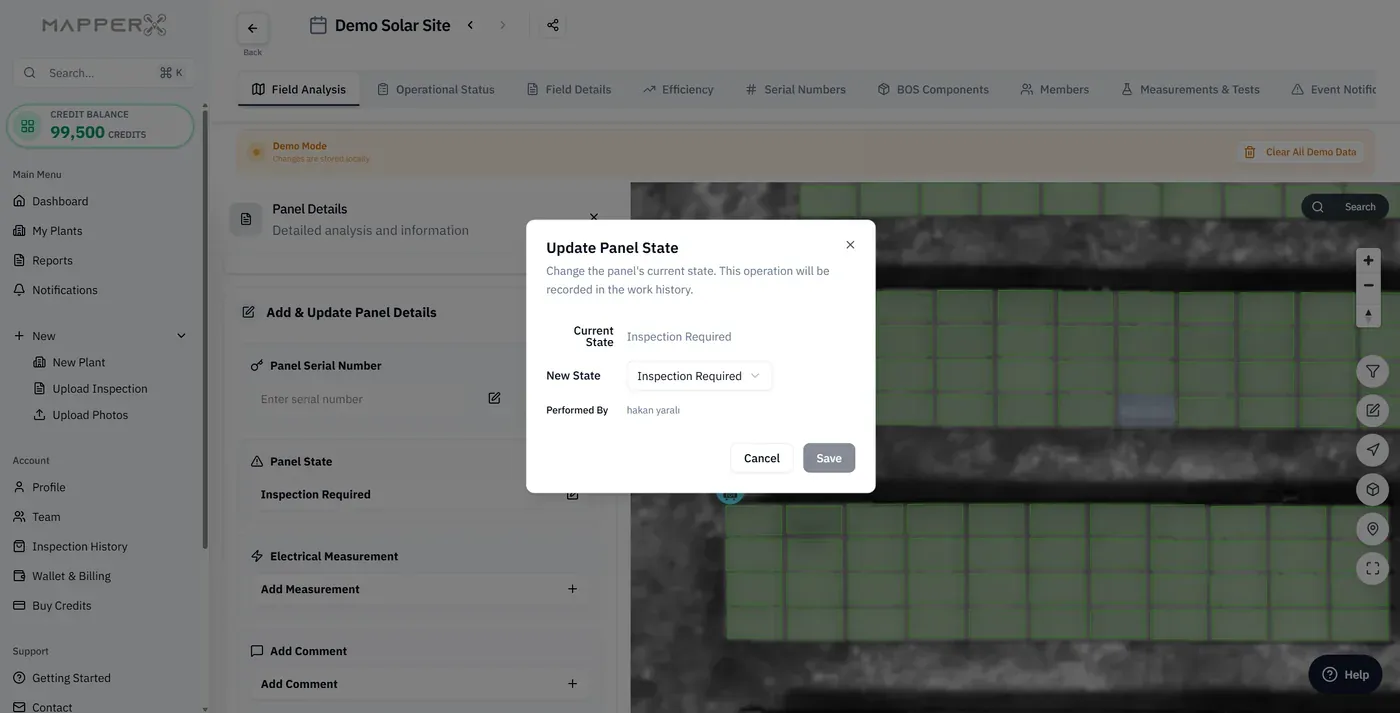
Meteorological Data of the Plants
Predictive and periodic maintenance needs accurate weather data matched to the date and time of each analysis. MapperX retrieves weather data autonomously, with no extra licensing cost, to support efficiency analyses and IEC 62446-3 inspection reports. Its suitability for the site and inspection time should be verified.
Automatically pull irradiation, wind and air-temperature data.
Irradiation, wind speed and air temperature are pulled automatically for the plant location, so nobody enters weather values by hand for each campaign. That matters because IEC 62446-3 defines environmental conditions for outdoor PV thermographic surveys, including irradiance and wind requirements. Attached weather data provides context, but must be checked for whether it represents conditions at the site and time of inspection; it does not by itself establish that a flight met the requirements.
Remove the cost of accessing meteorological data.
Meteorological data may require a separate subscription. MapperX includes it, reducing the need for another vendor contract, login and invoice. For inspection providers working across several countries, this can simplify procurement. Data availability and suitability for each inspection should still be checked before the weather context is used in a report.
Combine multiple weather inputs into detailed reports.
Weather inputs are attached to the campaign record to provide context for the inspection conditions. Their source, timing and local representativeness should be checked before they are used to verify survey conditions. Combining several inputs can also help explain findings that would otherwise look inconsistent, such as smaller temperature differences measured under low irradiance. Detailed reporting is not only about listing faults, it is about documenting the measurement conditions for someone who was not there.
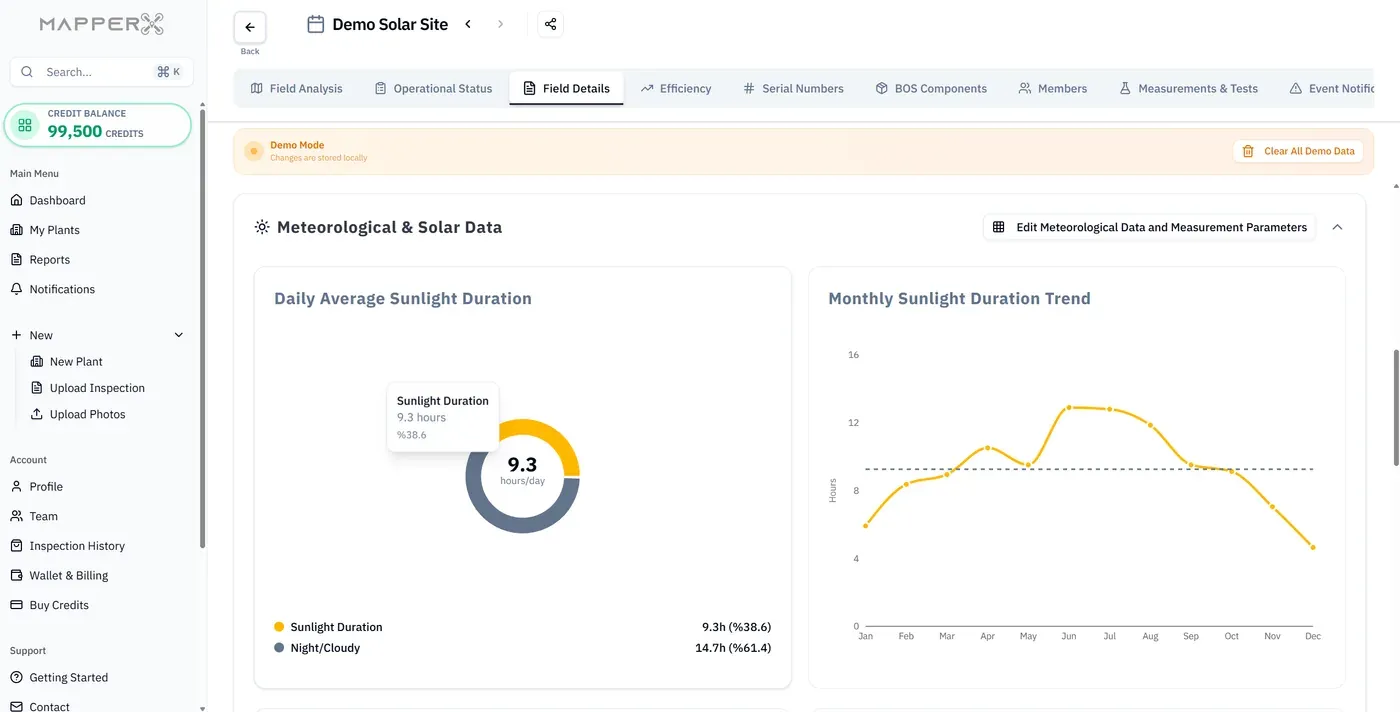
Team Members & Assignment
Assign tasks to members, manage them from one platform and monitor performance, optimizing both team and plant.
Create unlimited, up-to-date reports on work orders and history.
Work orders and their history are recorded as they are completed, so a report on team activity can be produced at any time without collecting messages and photographs from the field. The record covers what was assigned, who carried it out, when the state changed and which campaign the work came from. For an O&M contractor this is the evidence of service delivery that the client eventually asks for, and assembling it retrospectively is where the margin on a maintenance contract usually disappears. Unlimited and current reporting means the answer is a filter and an export rather than a week of reconstruction.
Authorize members per plant and task as needed.
Access is granted per plant and per task, so a subcontractor sees only the site and the work assigned to them while the asset owner keeps the portfolio view. That separation is what allows several parties to work in the same platform without exposing commercial data or the condition of unrelated sites. Authorizing members individually also keeps the audit trail meaningful, because each state change is attributable to a person rather than to a shared login. For portfolios where inspection, maintenance and ownership sit in different companies, this is usually the condition for using one platform at all.
Access all technical and operational plant information easily.
Technical and operational information about the plant is reachable from the same place the work is assigned, so a technician does not open one system for the work order, another for the plant documents and a third for the inspection history. Component records, previous findings, measurements and layout are all attached to the plant model, which means the context arrives with the task. That accessibility is what shortens the time between arriving on site and starting useful work, and it removes the most common reason for a second visit, which is simply not having the right information at hand.

Scan Serial Numbers and Act Instantly
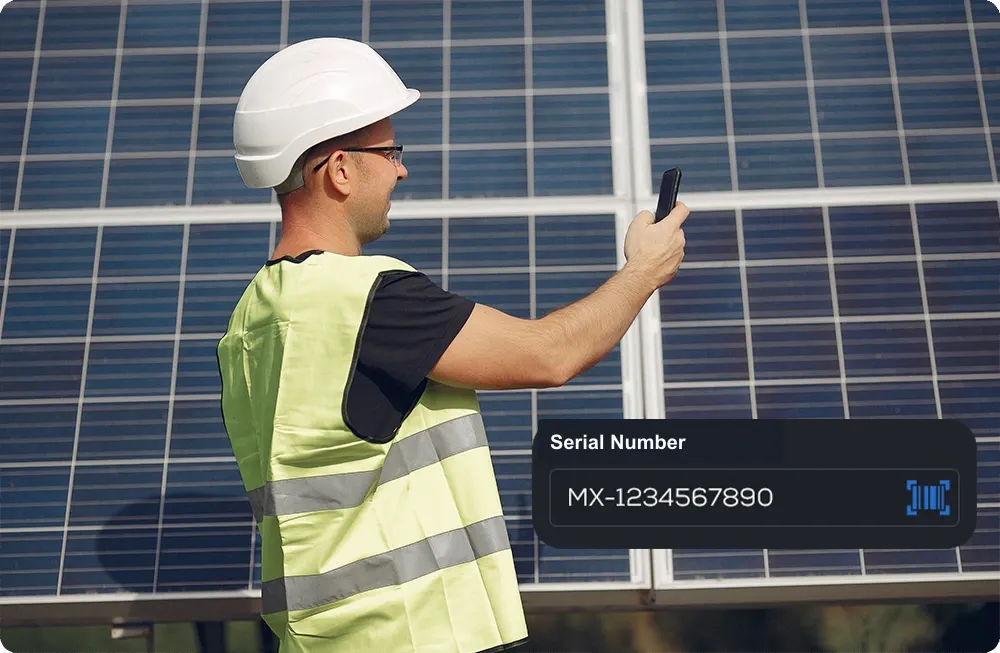
Warranty claims and asset records depend on capturing panel and inverter serial numbers quickly and accurately. MapperX scans and records serials with your phone camera, with no extra hardware, which can help save time and improve accuracy.
Help save time on warranty claims and asset records.
A warranty claim is decided by evidence, and the evidence starts with the serial number of the module that failed. MapperX writes a serial number scanned in the field straight to the module record, together with its position, its thermal findings and its measurement history, so the claim file is assembled as the work happens rather than afterwards. Manufacturers may reject claims that cannot demonstrate which module was installed where and what its condition was, and reconstructing that from photographs can take time and contribute to losses on a large replacement batch.
Create a digital twin of serial numbers to speed up the next operation.
Serial numbers stay attached to the module and to its position in the plant, so the next replacement, inspection or audit starts from a record that is already known rather than from a fresh survey. That link is what allows a plant to prove which batch a module came from when a manufacturer issues a recall or when a series of failures turns out to share an origin. Creating the digital twin of serial numbers once and maintaining it through later campaigns can reduce the need to walk the rows and scan the array again every time the question is asked.
Export scanned serial numbers in bulk to Excel.
The complete serial number set can be exported in bulk to Excel for the manufacturer, the owner, the insurer or an independent engineer, in whatever selection the recipient needs. That export is what turns a field activity into a document other parties can process, supporting warranty and insurance workflows that use spreadsheets rather than platform access. Bulk export also makes commissioning handover practical for large plants, where transcribing tens of thousands of serial numbers by hand is not realistic. The data can leave the platform in a form suited to the receiving party's workflow.
How MapperX Works
Autonomous inspections, AI-powered analysis, and actionable reports.

1. Inspect
Pilot drones automatically capture thermal data of PV rooftops.
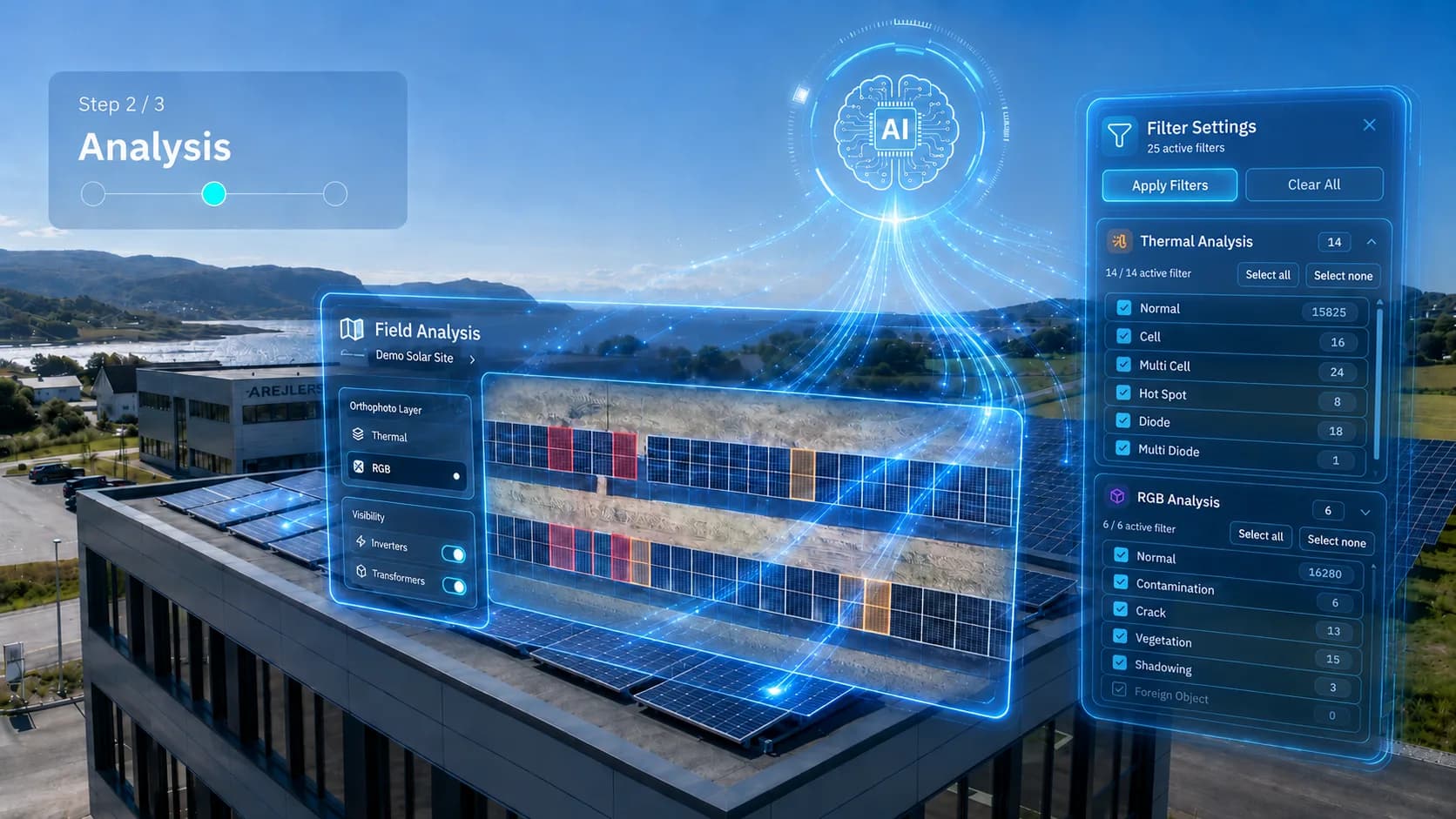
2. Analyze
Identify signs of module damage to support safety assessments and insurance documentation.
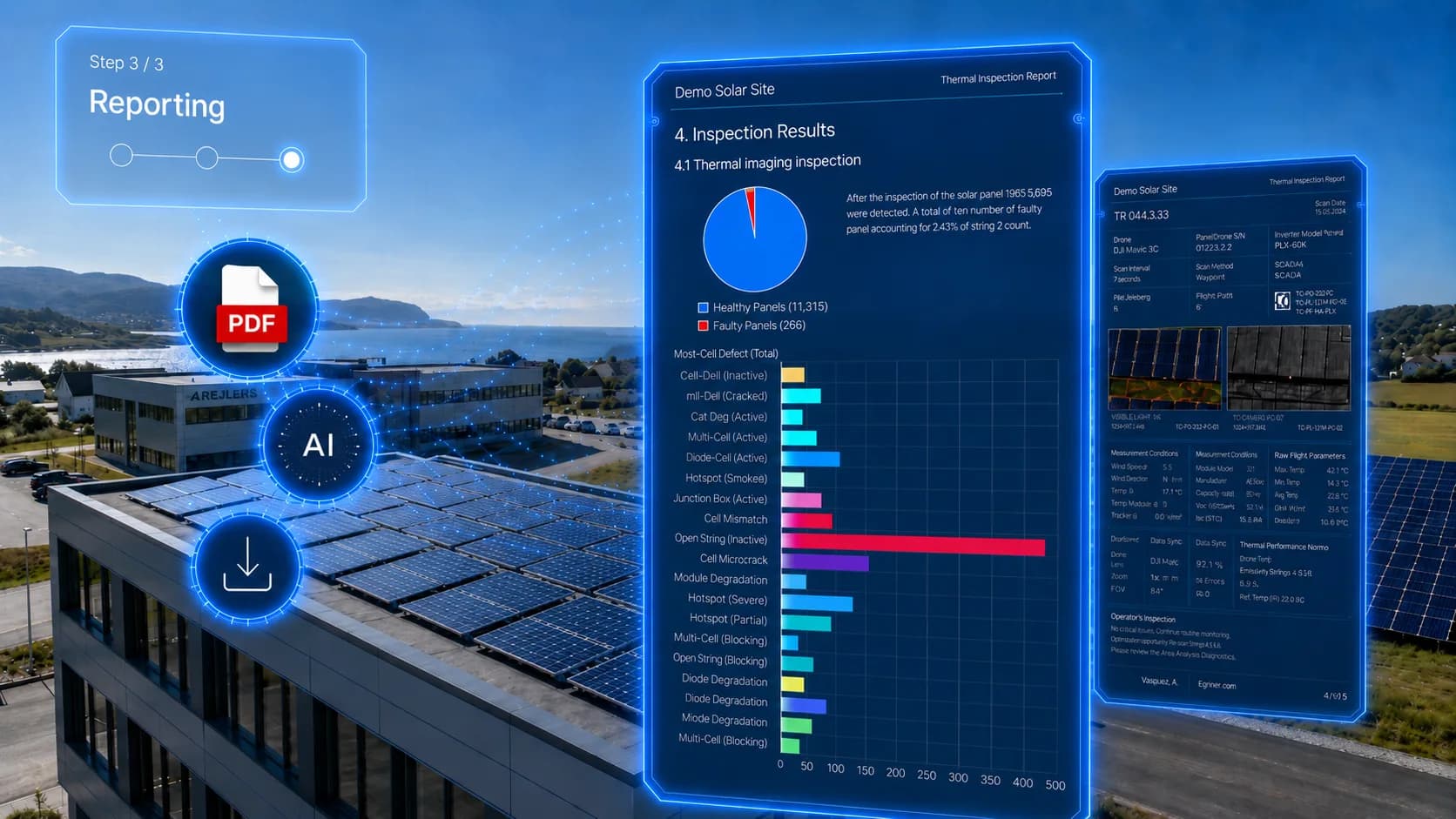
3. Report
Generate customizable, shareable reports for streamlined maintenance actions.
Simple pricing, enterprise performance
Credit-based annual plans. Credits are valid for 12 months and can be used across plants, projects and customers.
Flexible
Pay as you go, analyze as much as you need.
≈ 1 MW analysis
Starter
Optimized for small-scale operations.
5 MW
Growth
The most popular choice for growing businesses. ⭐
25 MW
Professional
For lower per-MW costs and high-volume analyses.
50 MW
Enterprise
Large scale and custom needs. Credits and capacity tailored to your organization.
Credits & capacity tailored to your needs
Capacity and price-per-MW figures are budgeting estimates based on approximately 2 credits per kW, not fixed per-panel charges. Compare package prices per credit and confirm the applicable analysis rate before purchase.
Solar inspection reports in 11 Languages with Cultural Precision
Platform UI and PDF outputs are available in Türkçe, English, Deutsch, Français, Español, 中文, 日本語, Português, Bahasa Indonesia, Italiano and Nederlands.


Related resources
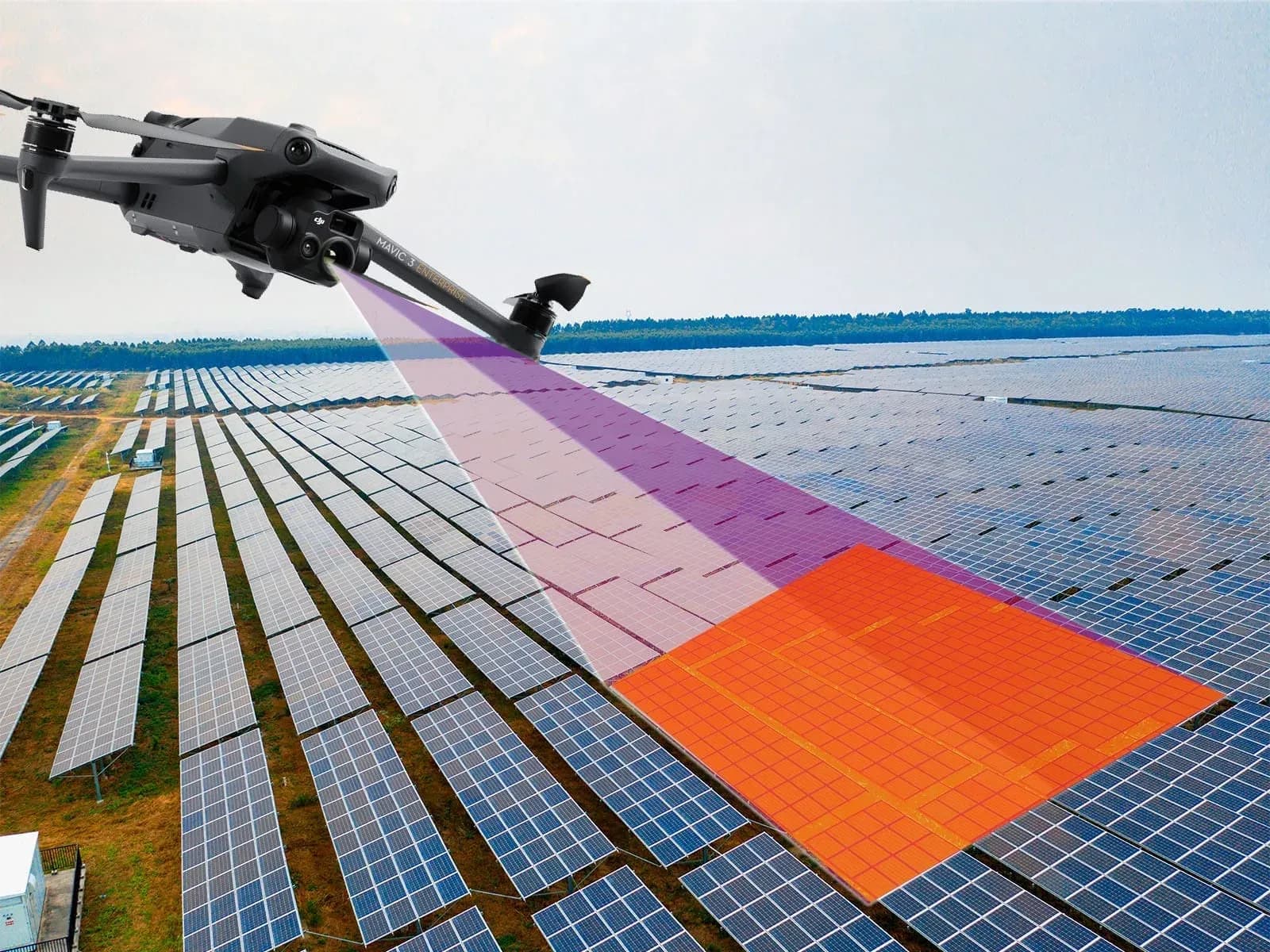
AI Solar Panel Fault Detection Software
AI solar panel fault detection software: analyze thermal and visual inspection data, map candidate anomalies and support PV inspection review and reporting.
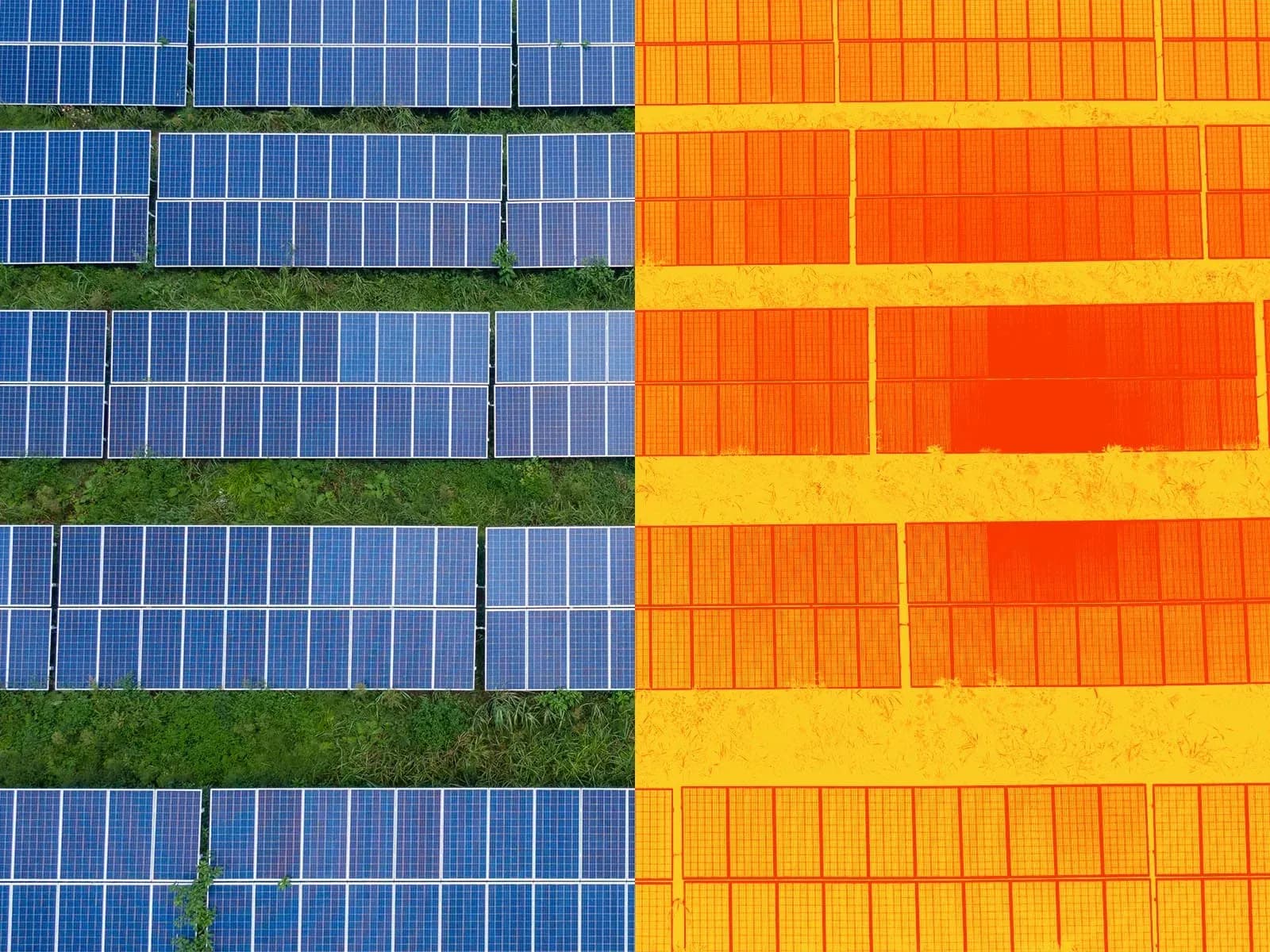
Thermal Imaging Inspection Software for PV Plants
Thermal imaging inspection software for photovoltaic plants: organize drone thermography, map anomalies, review evidence and generate PV inspection reports.

Detailed Thermal Inspection of PV Panels
Detailed thermal inspection of PV panels: drone thermography, anomaly mapping, electrical verification, IEC 62446-3 reporting and maintenance follow-up.